


Motor setup and troubleshooting
Everything here is done with the motor and its remote. Nothing on this page needs an app, a hub or a phone.
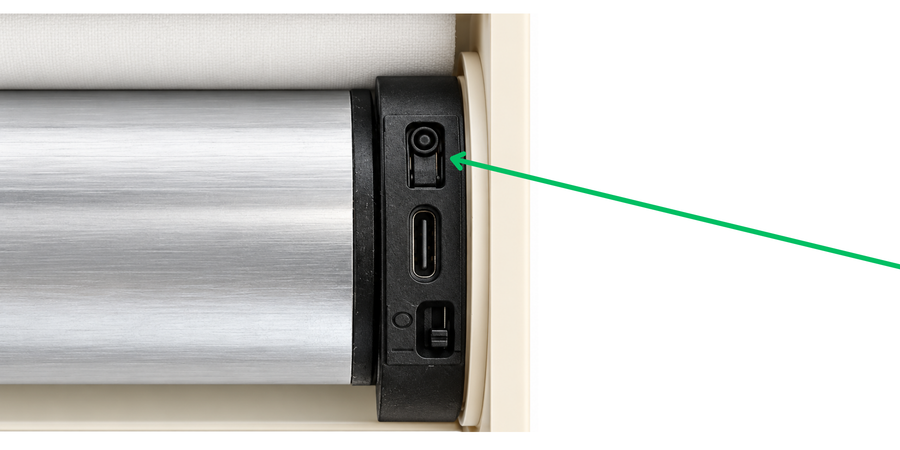
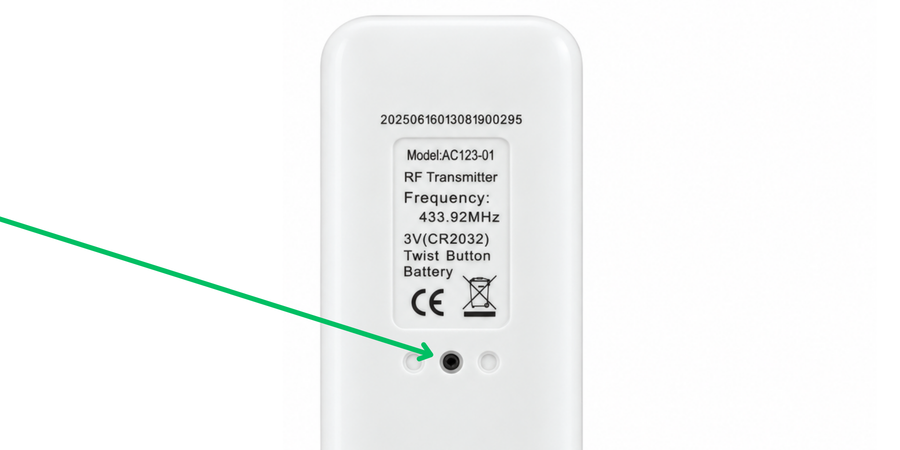
Two buttons do most of the work: PROG on the motor head, and PROG on the back of the remote. They are shown below.
Setup
Turn the motor on and offThe motor ignores the remote completely while it is switched off.
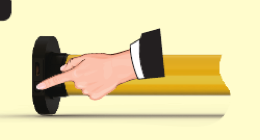 Turn the dial switch on the motor head to the right. The red light flashes to say it is on.
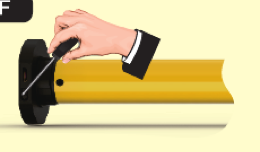 Turn it to the left to switch the motor off.
Charge the batteryAbout four hours from flat. The light is red while charging and green when it is full.
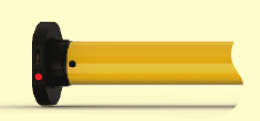 Plug the USB charger into the port on the motor head.
- Unplug it once the light turns green. Leaving it on the charger does the battery no good.
Put the motor into setting modeSetting mode ends by itself after 10 seconds with no button press. Most of the procedures below start here.
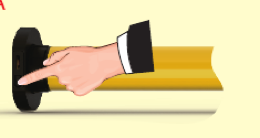 Press PROG on the motor head for 1 second.
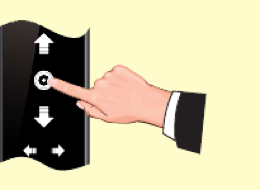 Or, if a remote is already paired, hold STOP on it for 5 seconds.
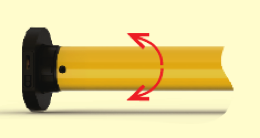 The motor jogs once. It is in setting mode.
Pair a remote
- Put the motor into setting mode.
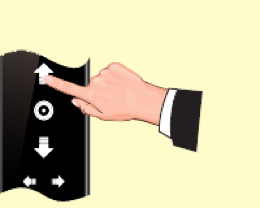 Press UP on the remote you want to pair.
- The motor jogs once. That remote is paired.
Swap which way it runsIf pressing UP sends the shade down, this is the fix.
- Put the motor into setting mode.
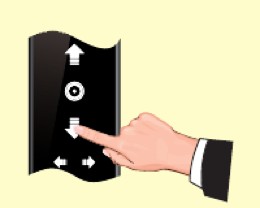 Press DOWN.
- The motor jogs once. Up and down are now the other way round.
Set the first limitThe first limit can be the top or the bottom. Whichever you choose here, the other one is set the same way afterwards.
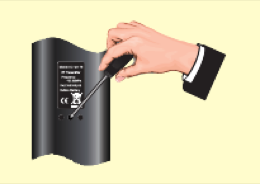 Press PROG on the back of the paired remote for 1 second.
- The motor jogs once.
- Press UP to make the top your first limit, or DOWN to make it the bottom.
- Run the shade to where that limit should be, press STOP, then press PROG.
- The motor jogs once. The limit is saved.
Set the other limitsLimit setting ends by itself after 30 seconds with no button press. Six limits in all: the top, the bottom, and four positions in between.
- Run the shade to the position you want, press STOP, then hold PROG for 1 second.
- The motor jogs once.
- Press PROG again.
- The motor jogs once more. That limit is saved.
Nudge a limit that is slightly offThe top and bottom can each be nudged once. After that only a reset will clear them.
- Run the shade to the limit you want to change, then press PROG once.
- The motor jogs once.
- Move the shade to where it should have stopped.
- Press PROG to save it.
- The motor jogs once. The limit has moved.
Adjust the tiltZebra shades only, where the vanes have to line up.
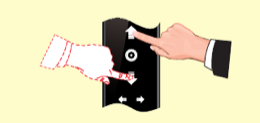 Hold UP and DOWN together for 5 seconds.
- The motor jogs. It is in tilt adjustment.
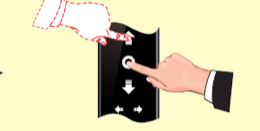 Hold STOP and press UP for more tilt.
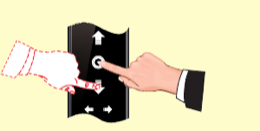 Hold STOP and press DOWN for less.
- Hold STOP for 2 seconds to save and come out.
- The motor jogs once. The tilt is saved.
Switch between one press and step by stepContinuous is how it arrives: one press runs the shade all the way to its limit. Step by step moves it a little at a time, which is easier when you are lining something up. App control is always continuous.
- Put the motor into setting mode.
- Press STOP.
- The motor jogs once. It has swapped to the other one.
Undo and reset
Delete one limit
- Run the shade to the limit you want gone, then hold PROG for 7 seconds.
- It jogs after a second, then again after seven. That limit is deleted.
Unpair a remoteUnpairs the remote you press it on, and leaves the others alone.
- Put the motor into setting mode.
- Press PROG on the back of the remote you want to remove.
- The motor jogs once. That remote is unpaired.
Reset the motor, using the motorClears the remotes, the limits and the direction. Leave less than a second between these steps or the motor will not follow them.
- Press PROG and let go the moment the red light comes on.
- Press PROG again and let go when the red light comes on.
- Hold PROG for 3 seconds and let go when the red light flashes twice.
- Hold PROG until the motor jogs twice. It is reset.
Reset the motor, using a remoteThe same reset, if the motor head is out of reach.
- Hold STOP on a paired remote for 5 seconds.
- The motor jogs once.
- Within 10 seconds, hold PROG on the back of the remote for 7 seconds.
- It jogs once, then twice more. It is reset.
If something is wrong
Nothing happens when I press the remote
- Check the dial switch on the motor head is turned to the right.
- Charge it. A flat battery looks exactly like a dead motor.
- If it still does nothing, pair the remote again.
It stops partway and will not go further
- Something is in its way, or the shade is catching. The motor stops itself rather than forcing it. Clear whatever it is and try again.
- If nothing is in the way, charge it. The motor protects itself when the battery is low.
It moves in little steps instead of running
- Either it is in step-by-step mode, which is the procedure above, or the battery is low. Charge it first and see whether it goes back to normal.
The setting did not take
- Setting mode ends by itself after 10 seconds, and limit setting after 30. If you paused mid-way, start the procedure again and do not stop in the middle.
It will not move at all, even on the charger
- Leave it charging for six hours, then try again. If it still does nothing, check the shade is installed square and nothing is binding the tube.
Connecting a motor to Alexa, Apple Home or Google Home is a separate guide.