


Zebra Shades
Zebra Shades
Regular price
$59.00
Regular price
Sale price
$59.00
Unit price
per
Shipping calculated at checkout.
Couldn't load pickup availability


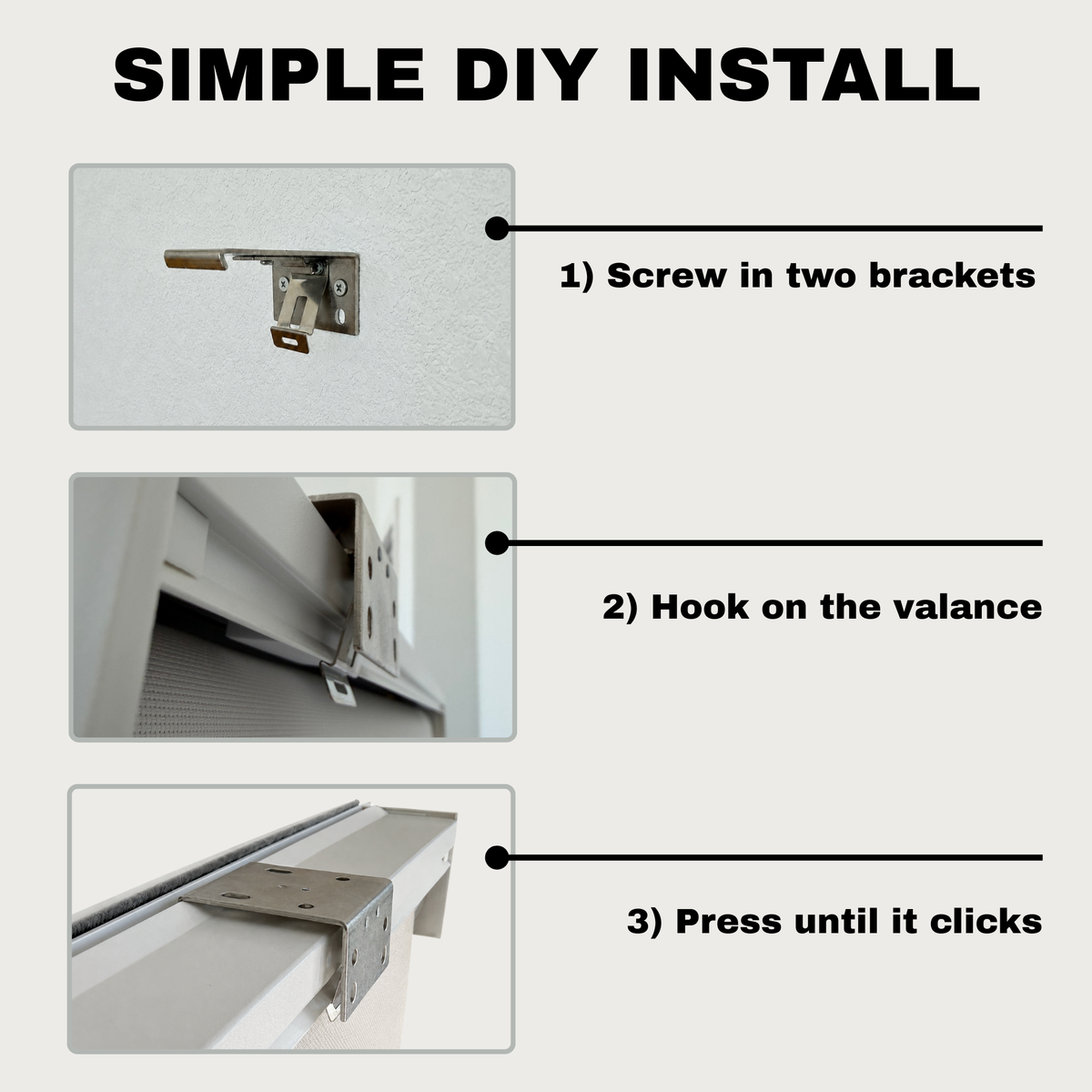
COVERLY - BUILT FOR DIY
Installation anyone can handle.
Shades specifically designed for easy installation.

Lift. Click. It’s in.

Ready to enjoy.

OPEN OR SHUT. YOUR CALL.
BEHIND THE DESIGN
Every detail. Up close.
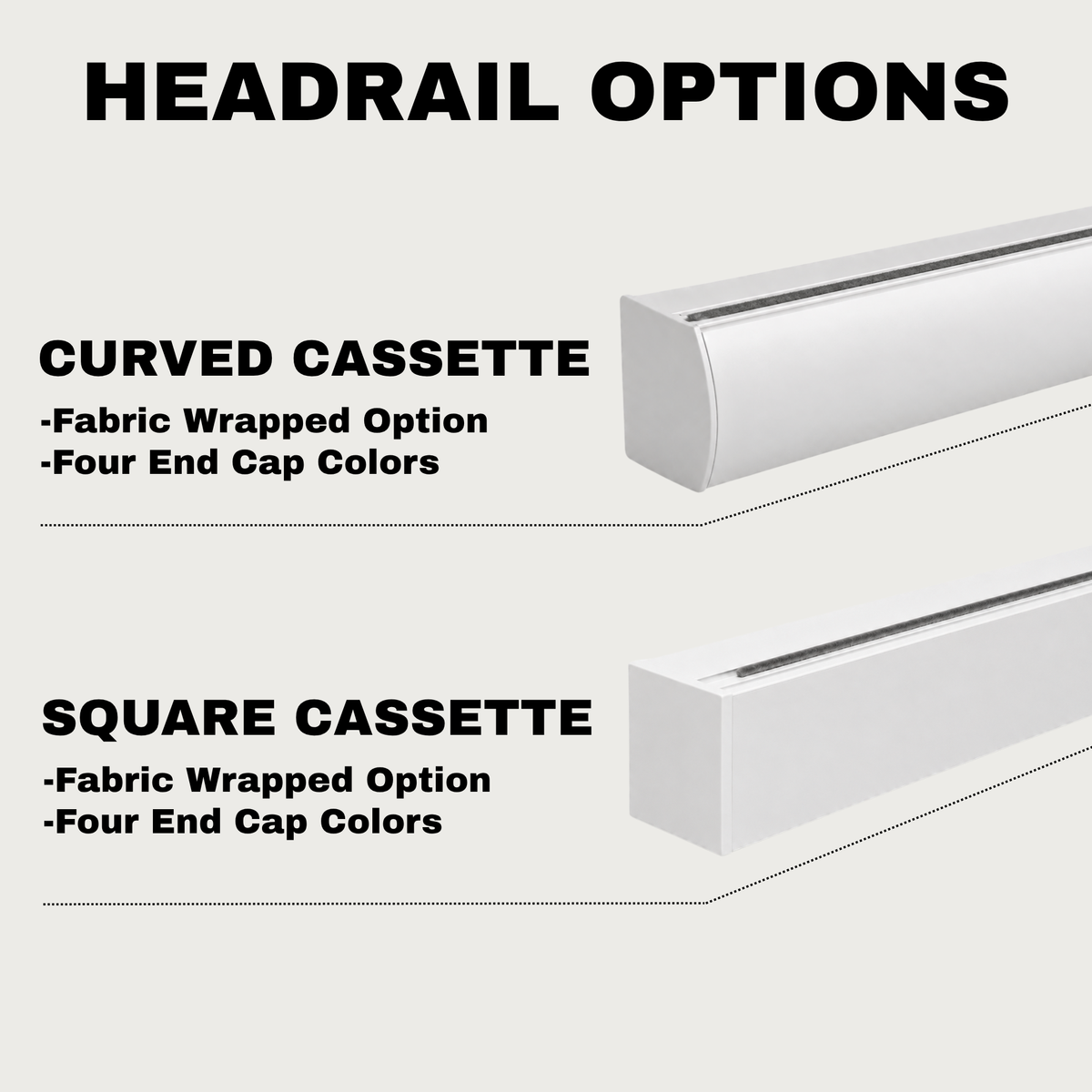
Meet the parts that make it yours. Bring a component closer, turn it around, and explore its shape, finish, and dimensions.
Rotate in 3D · See dimensions · Compare details
Start with a detail
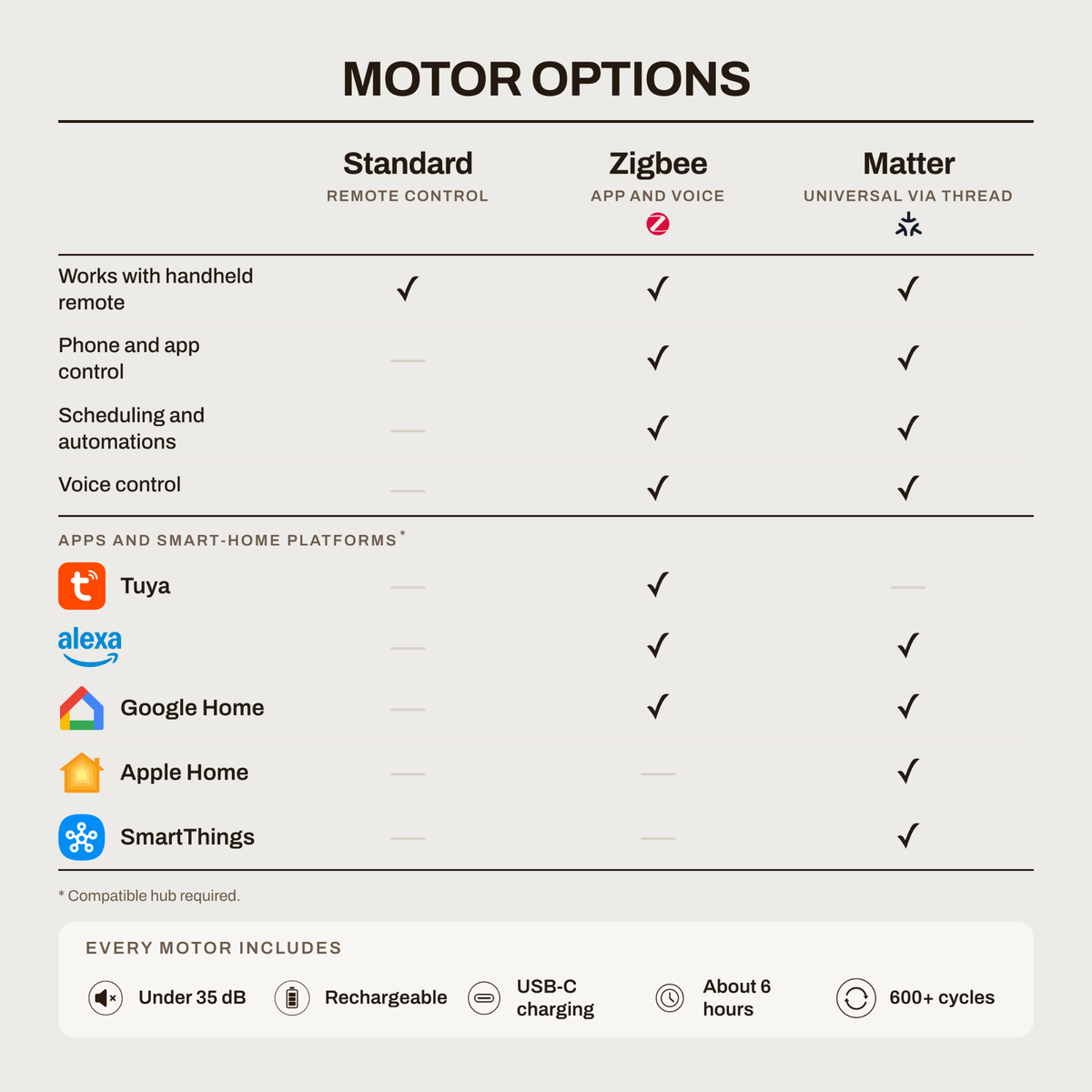
Pick your motor. See your connections.
Match your motor to the hub you have. Common setups are shown below.
Motor option
Matter Motor
Rechargeable · Matter over Thread
Compatible integration with these hubs
-

HomePod miniApple Home -

HomePod2nd generationApple Home -

Apple TV 4K2nd gen, or 3rd gen 128GB Wi-Fi + EthernetApple Home -

Nest Hub2nd generationGoogle Home -

Echo4th generationAlexa -

SmartThings StationSmartThings


Motor option
Zigbee Motor
Rechargeable · Zigbee
Compatible integration with these hubs
-
Echo4th generationAlexa -
SmartThings StationSmartThings -

Echo Show 103rd generationAlexa

Motor option
Standard Motor
orAC plug-in
Standard: rechargeable · AC: plug-in · RF remote control
Coverly Wi-Fi hub required for app and voice control
-

Coverly Wi-Fi hubCompatible RF hubAlexa + Google Home

Standard Motor does not pair directly with an Amazon Echo. Alexa and Google Home control work through the Coverly Wi-Fi hub.
Customer Reviews
Overall rating: 5.0 / 5 from 9 reviews.

Beautiful pattern and it matches the sample I had on the sill.

Easy to use and the pattern is nice I adjust the light instead of dropping the whole shade fast shipping and good support on chat.

Great support, Sam walked me through the mount and the fit was good.
Slider is the window everyone sees from the kitchen. I wanted privacy without dropping a heavy shade and killing the light. Being able to walk the stripes is the part I use all day. Looks more custom than I expected at this price. Jacob answered a measuring question without making it a ticket. Remote and Alexa both work. Already looking at the office opening.
Jacob made the slider measure painless.
For what I paid I expected cheap hardware and a noisy motor. Neither showed up. Brackets are solid. Sister’s custom pair cost about twice as much and I like the clutch on ours more.
Slider quotes were the ones that made my stomach drop. One site and one in-home visit both came in high once motors were on the page. These plus a real person on chat named Jordan got me through measuring. I ride the stripes all day instead of dropping the whole shade. Easy. Cheaper. Looks custom from the kitchen.
I ride the stripes for privacy and almost never drop the whole thing.
Handy on the slider. Looks more custom than the price.